|
Convert AU to MP3
|
Total Audio MP3 Converter converts AU files to MP3 format easily and quickly.
The software also supports more than 150 audio and video files and batch conversion.
- Free Download Total Audio MP3 Converter
- Install the Program by Step-by-step Instructions
- Launch Total Audio MP3 Converter by Clicking Start ->
All Programs -> Total Audio MP3 Converter -> Total Audio MP3 Converter
- Choose AU Files
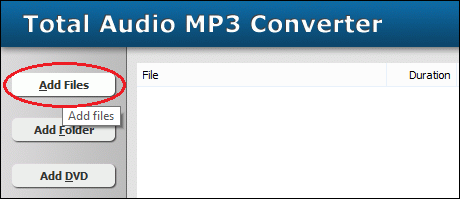
Click "Add Files" button to choose AU files and add them
to conversion list.
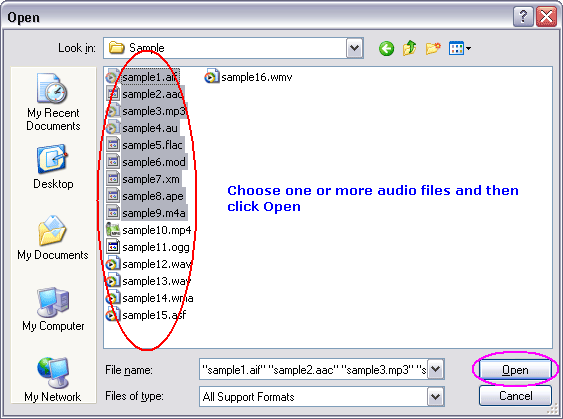
Choose one or more AU files you want to convert.
- Choose Target File Format
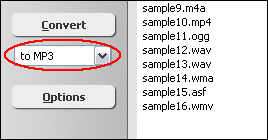
Choose "to MP3"
- Convert AU to MP3
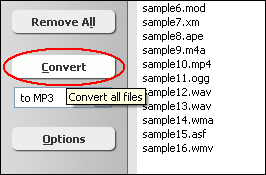
Click "Convert" to convert all AU files into MP3 format.
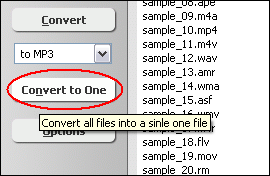
You can also click "Convert to One" to convert and combine/join/merge
all AU files to one MP3.
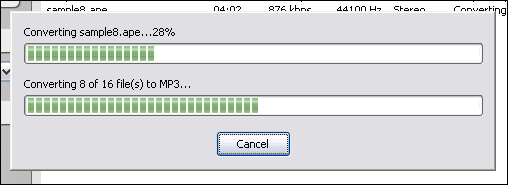
The software is converting AU files into MP3 format.
- Play & Browse
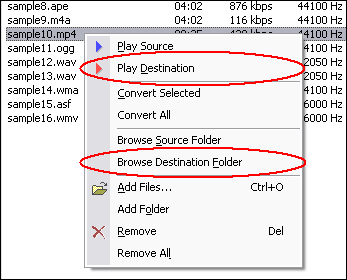
Right-click converted item and choose "Play Destination" to play
the destination file, choose "Browse Destination Folder" to open
Windows Explorer to browse the destination file.
- Done
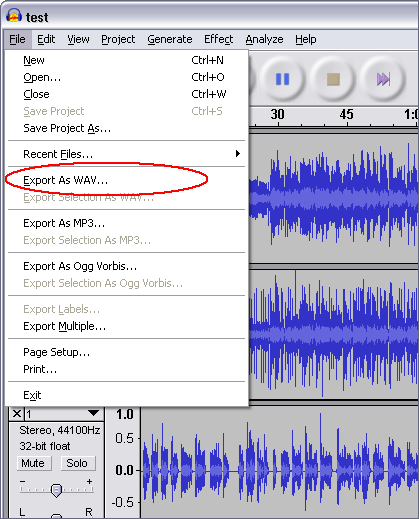
NOTE: If the Total Audio MP3 Converter fails to open your AU file, the
AU file probably is audio file created by Audacity.
Please open the AU file by Audacity and then export to WAV file, and then convert
the outputted WAV to MP3 with Total Audio MP3 Converter.
Top
What is AU?
The Au file format is a simple audio file format introduced by Sun Microsystems.
The format was common on NeXT systems and on early web pages. Originally it was
headerless, being simply 8-bit 0…8-law-encoded data at an 8000 Hz sample
rate. Hardware from other vendors often used sample rates as high as 8192 Hz,
often integer factors of video clock signals. Newer files have a header that consists
of six 32-bit words, an optional information chunk and then the data (in big endian
format). Although the format now supports many audio encoding formats, it remains
associated with the 0…8-law logarithmic encoding. This encoding was
native to the SPARCstation 1 hardware, where SunOS exposed the encoding to apps
through the /dev/audio interface. This encoding and interface became a de facto
standard for Unix sound.
What is MP3?
MPEG-1 Audio Layer 3, more commonly referred to as MP3, is a digital audio encoding
format using a form of lossy data compression. It is a common audio format for
consumer audio storage, as well as a de facto standard encoding for the transfer
and playback of music on digital audio players. MP3's use of a lossy compression
algorithm is designed to greatly reduce the amount of data required to represent
the audio recording and still sound like a faithful reproduction of the original
uncompressed audio for most listeners, but is not considered high fidelity audio
by audiophiles. An MP3 file that is created using the mid-range bit rate setting
of 128 kbit/s will result in a file that is typically about 1/10th the size of
the CD file created from the original audio source. An MP3 file can also be constructed
at higher or lower bit rates, with higher or lower resulting quality. The compression
works by reducing accuracy of certain parts of sound that are deemed beyond the
auditory resolution ability of most people. This method is commonly referred to
as perceptual coding. It internally provides a representation of sound within
a short term time/frequency analysis window, by using psychoacoustic models to
discard or reduce precision of components less audible to human hearing, and recording
the remaining information in an efficient manner. This is relatively similar to
the principles used by JPEG, an image compression format.
Convert AU to MP3 Related Topics:
APE to MP3,
AU to MP3,
CDA to MP3,
CD to MP3,
FLAC to MP3,
IT to MP3,
MPC to MP3,
OGA to MP3,
SPX to MP3,
TTA to MP3,
UMX to MP3,
WMA to MP3,
WV to MP3,
XM to MP3,
DTS to MP3,
3GP2 to MP3,
3GPP to MP3,
ALAC to MP3,
DIF to MP3,
EVOB to MP3,
EVO to MP3,
FLV to MP3,
H263 to MP3,
QT to MP3,
RAM to MP3,
WMD to MP3,
WM to MP3,
XVID to MP3,
MP3 Converter,
mp3PRO to MP3,
MPA to MP3,
MPEG to MP3,
Resample MP3,
VOB to MP3,
VOC to MP3
|